

Enter your team name
After creating your account you’ll be prompted to enter your Solari team name.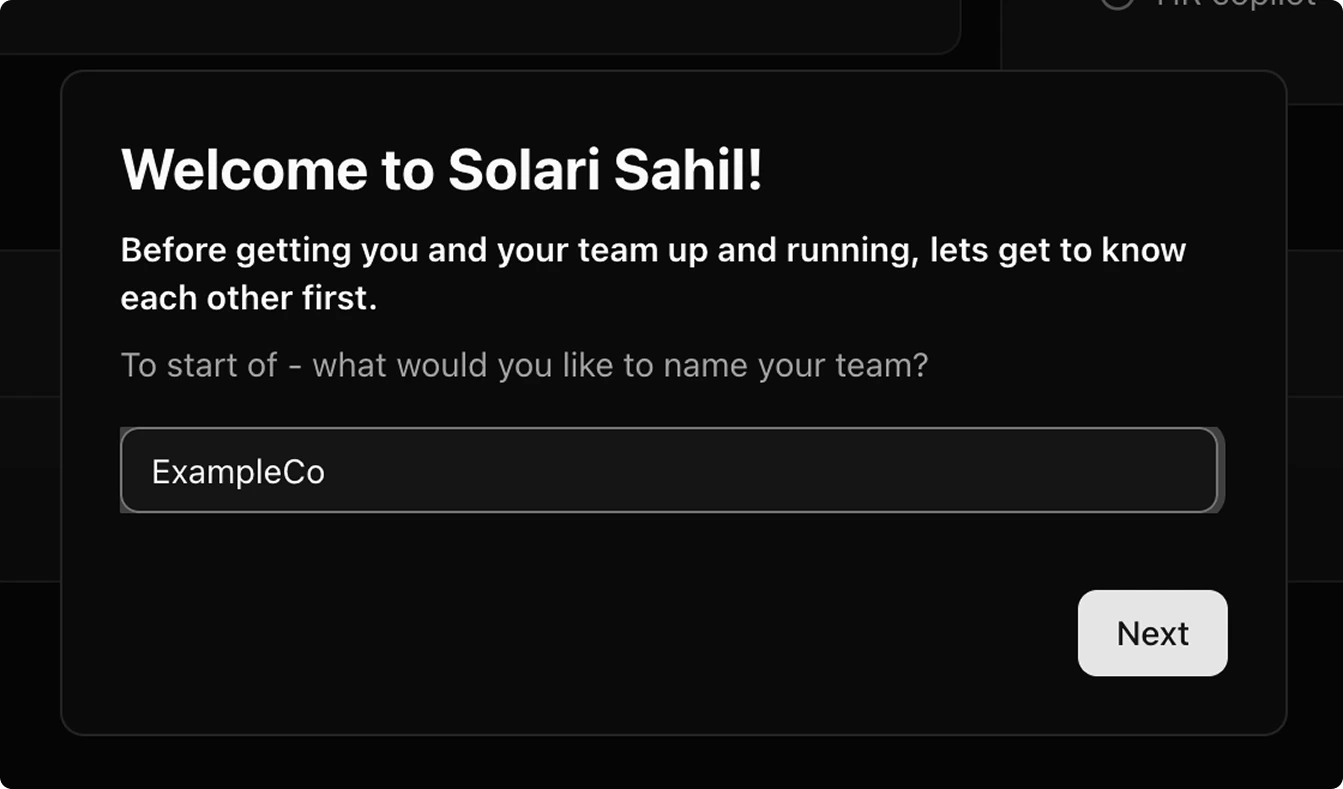
Next to save the team name.
Invite team members (optional)
Add other team members to Solari. You can add team members in two ways: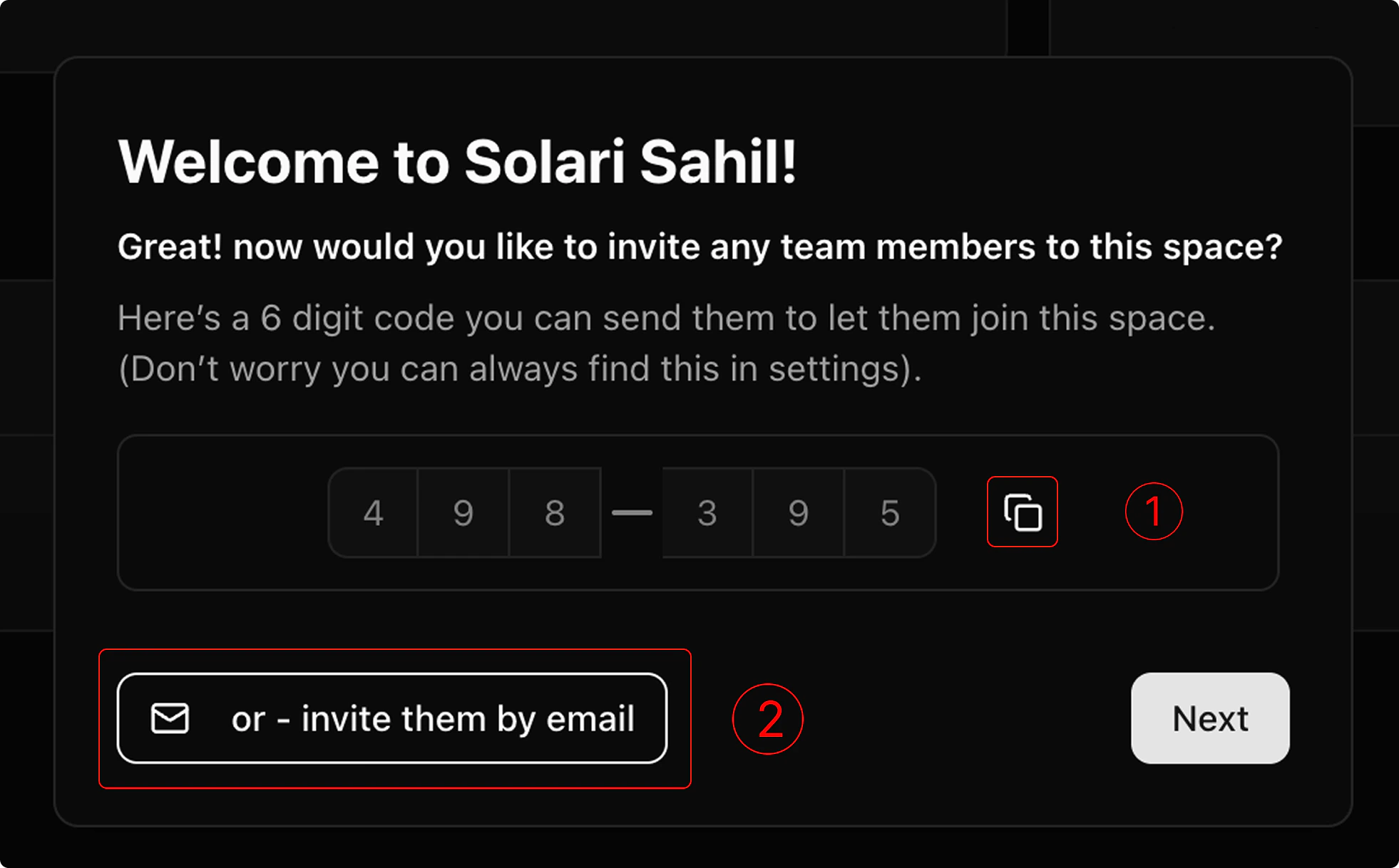
Invite via access code
Invite via access code
- Copy the 6-digit access code (tapping the copy icon will add this to your clipboard)
- Send that access code to your team members. They can use that to join your team via 6-digit access code.
Invite by email
Invite by email
- Tap “Invite by email”
- Enter the email address of the member you’d like to add to the list (one at a time).
-
Tap “invite” to send the invitations to each member of the list. They can then join your team via email.

Billing, Trials, and Access
The primary method of accessing Solari is either starting a 7d free trial, or starting a subscription later.
In the event you cannot enter your card information to start a trial or subscription, you can grab time on the Solari calendar for a member of our team to meet you in person and complete your set up.
Users without a card will have to have a calendar event booked before they’re able to continue in Solari.
In the event you cannot enter your card information to start a trial or subscription, you can grab time on the Solari calendar for a member of our team to meet you in person and complete your set up.
Users without a card will have to have a calendar event booked before they’re able to continue in Solari.
Starting a 7 day free trial
Starting a 7 day free trial
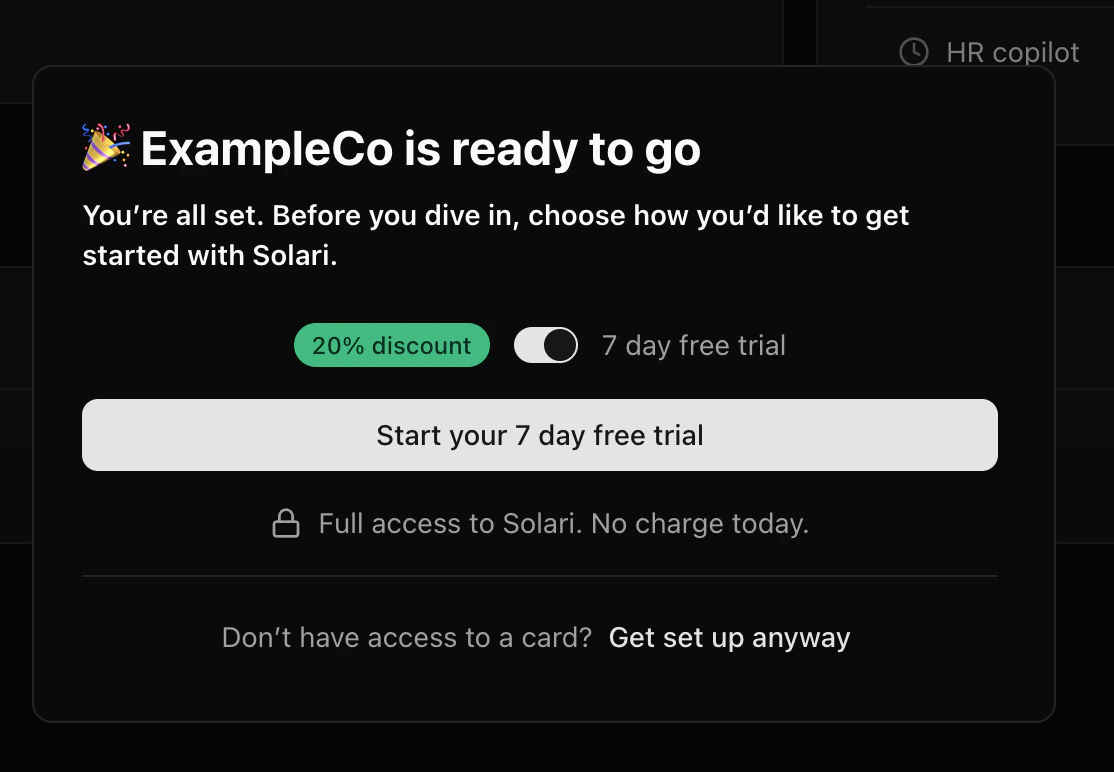
- Select the 7-day free trial option.
- Click
Start your 7-day free trialto continue to our secure Stripe checkout. - Enter your payment details to activate your free trial. You won’t be charged until the trial ends and your subscription begins.
You can always access your billing information in your settings page throughout your free trial. You’ll still have access to Solari during your free trial after cancelling.
4. Once your payment method is securely validated, we’ll automatically grant access to Solari. You may see a brief loading indicator while we complete this step.
Starting a subscription
Starting a subscription
Your billing information will always be available in your settings.
You can always cancel your subscription via
You can always cancel your subscription via
Manage Billing . By cancelling your subscription before your free trial ends, you will have access to Solari until your free trial expires. 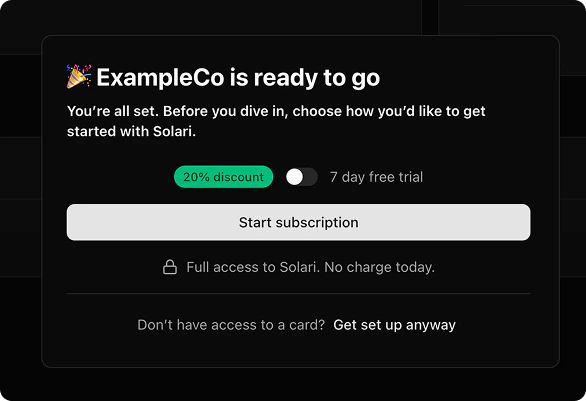
- Select the 20% discount option to start a subscription right away.
- Click
Start subscriptionto continue to our secure Stripe checkout. - Securely enter your payment details to activate your subscription via Stripe. The 20% discount will be applied automatically.
- Once your payment method is securely validated, we’ll automatically grant access to Solari. You may see a brief loading indicator while this completes.
- You can review or update your billing details at any time from the Billing section in your settings.
Booking time with the team
Booking time with the team
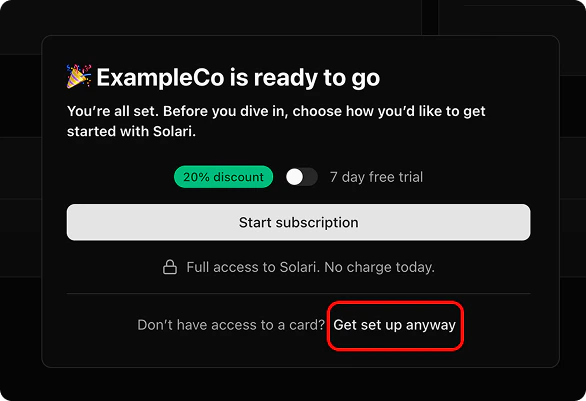
- Click “Get set up anyway” to open our team’s calendar in a new tab.
- Choose a time that works for you (ideally within the next 7 days). We’ll complete your onboarding during this meeting.
- Once your appointment is confirmed, you’ll be granted access to Solari for a 7-day free trial.
- At any time, you can visit Settings** → Billing** to start a self-serve free trial or subscription.