> ## Documentation Index
> Fetch the complete documentation index at: https://docs.usesolari.ai/llms.txt
> Use this file to discover all available pages before exploring further.
# Agent analytics
> See how your RAG agent has been performing over time to identify areas to improve your agent configuration and/or the Solari platform.
Agent analytics are only available to users `team-admin` users, `agent-admin` users, or users with `edit` accesss to an agent
### Navigating to agent analytics
There are 2 ways to get to agent analytics
Option 1: via agent settings
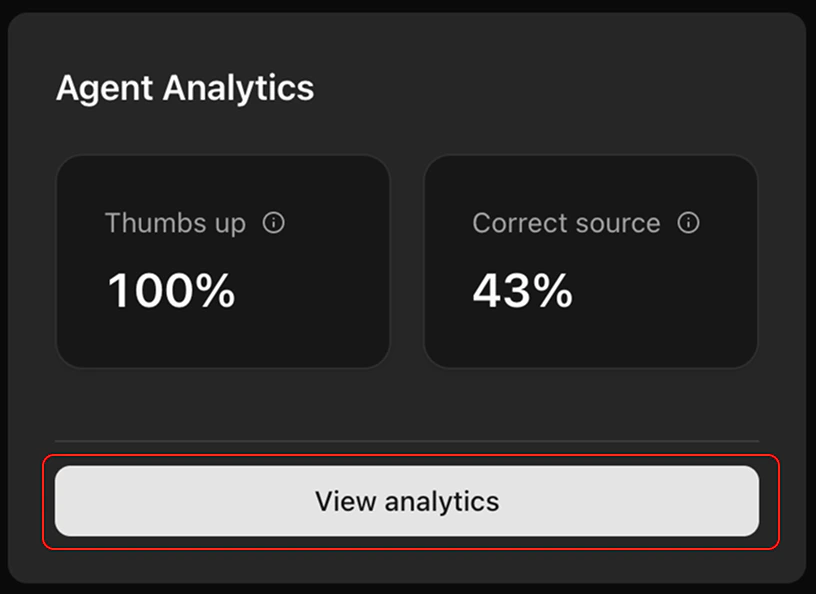 1. Make sure you’re in your chosen agent (via the `Agents` page or the `cmd+k` shortcut).
2. Turn `edit` mode on
3. Tap `View analytics` in the bottom right hand corner
Option 2: via the dashboard
1. Make sure you’re in your chosen agent (via the `Agents` page or the `cmd+k` shortcut).
2. Turn `edit` mode on
3. Tap `View analytics` in the bottom right hand corner
Option 2: via the dashboard
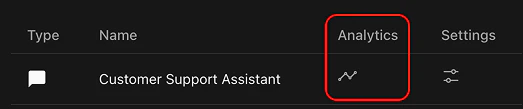 1. Tap the 'chart' icon under 'analytics'. This will take you to the analytics page of that agent
### Understanding your agent analytics
Your agent analytics is comprised of 3 charts.
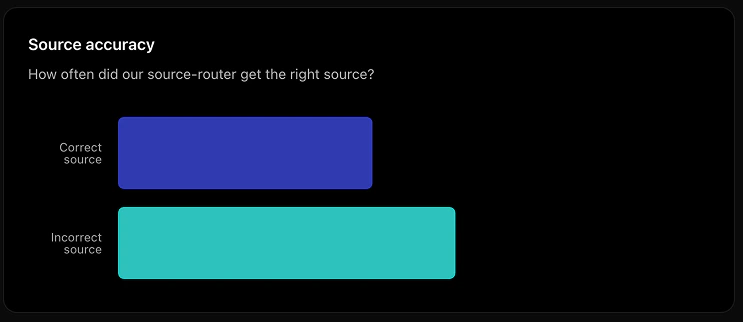
**Source accuracy** - how often does the model router choose the right model?
1. Tap the 'chart' icon under 'analytics'. This will take you to the analytics page of that agent
### Understanding your agent analytics
Your agent analytics is comprised of 3 charts.
**Source accuracy** - how often does the model router choose the right model?
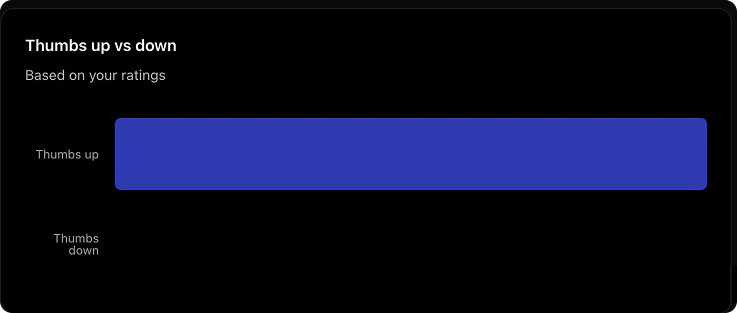
 **Thumbs up vs down** - how often do users rate the agents reponse as helpful vs. unhelpful?
 **Log table** - a list of each interaction your agent has had, and any ratings that users gave it
Tap the row of a log item to see the details in the drawer
**Log table** - a list of each interaction your agent has had, and any ratings that users gave it
Tap the row of a log item to see the details in the drawer
