> ## Documentation Index
> Fetch the complete documentation index at: https://docs.usesolari.ai/llms.txt
> Use this file to discover all available pages before exploring further.
# Complete onboarding
> If you've created your team from scratch, we'll need a few details from you before completing your set up.
## Enter your team name
After creating your account you'll be prompted to enter your Solari team name.
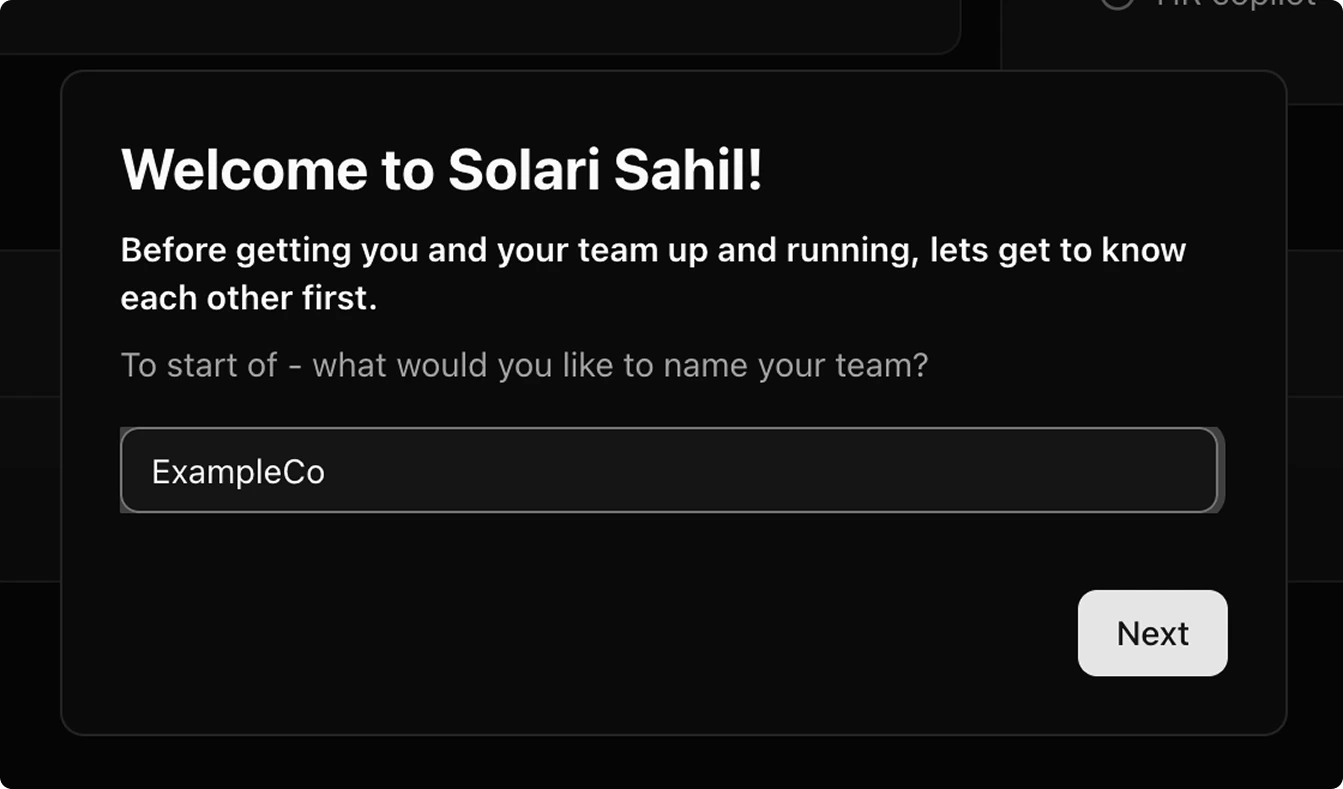 Hit `Next` to save the team name.
## Invite team members (optional)
Add other team members to Solari. You can add team members in two ways:
Hit `Next` to save the team name.
## Invite team members (optional)
Add other team members to Solari. You can add team members in two ways:
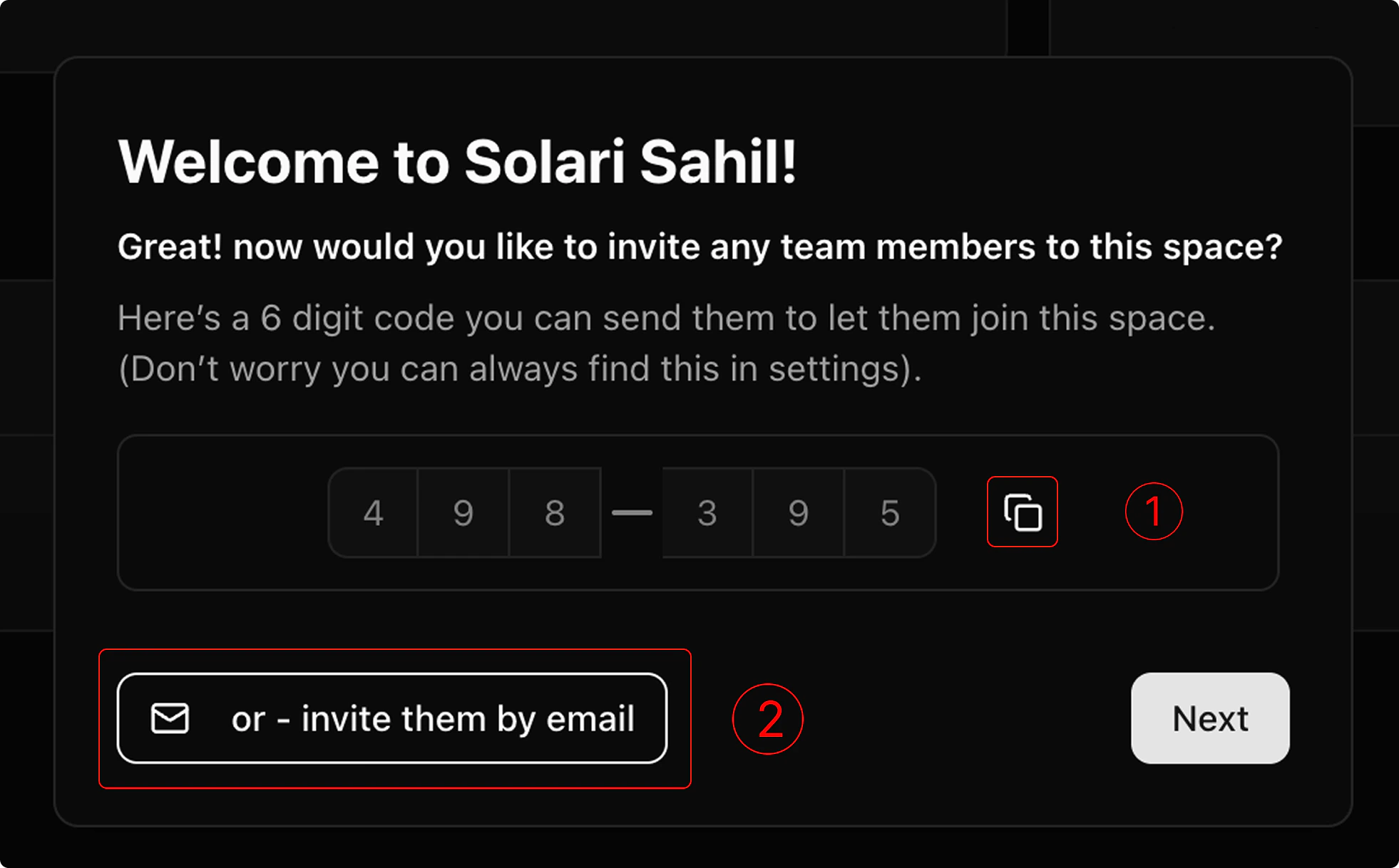 1. Copy the 6-digit access code (tapping the copy icon will add this to your clipboard)
2. Send that access code to your team members. They can use that to [join your team via 6-digit access code](https://docs.usesolari.ai/quickstart#joining-an-existing-team).
1. Tap "Invite by email"
2. Enter the email address of the member you'd like to add to the list (one at a time).
3. Tap "invite" to send the invitations to each member of the list. They can then join your team via email.
1. Copy the 6-digit access code (tapping the copy icon will add this to your clipboard)
2. Send that access code to your team members. They can use that to [join your team via 6-digit access code](https://docs.usesolari.ai/quickstart#joining-an-existing-team).
1. Tap "Invite by email"
2. Enter the email address of the member you'd like to add to the list (one at a time).
3. Tap "invite" to send the invitations to each member of the list. They can then join your team via email.
 Tap "Next" to get complete your Solari set up.
## Billing, Trials, and Access
The primary method of accessing Solari is *either* starting a 7d free trial, or starting a subscription later. \
\
In the event you cannot enter your card information to start a trial or subscription, you can grab time on the Solari calendar for a member of our team to meet you in person and complete your set up. \
\
Users without a card will *have* to have a calendar event booked before they're able to continue in Solari.
There are 3 ways to complete your Solari set up:
Your billing information will always be available in your [settings](https://app.usesolari.ai/settings). \
\
You can always cancel your subscription via `Manage Billing` . By cancelling your subscription before your free trial ends, you will have access to Solari until your free trial expires.
Tap "Next" to get complete your Solari set up.
## Billing, Trials, and Access
The primary method of accessing Solari is *either* starting a 7d free trial, or starting a subscription later. \
\
In the event you cannot enter your card information to start a trial or subscription, you can grab time on the Solari calendar for a member of our team to meet you in person and complete your set up. \
\
Users without a card will *have* to have a calendar event booked before they're able to continue in Solari.
There are 3 ways to complete your Solari set up:
Your billing information will always be available in your [settings](https://app.usesolari.ai/settings). \
\
You can always cancel your subscription via `Manage Billing` . By cancelling your subscription before your free trial ends, you will have access to Solari until your free trial expires.
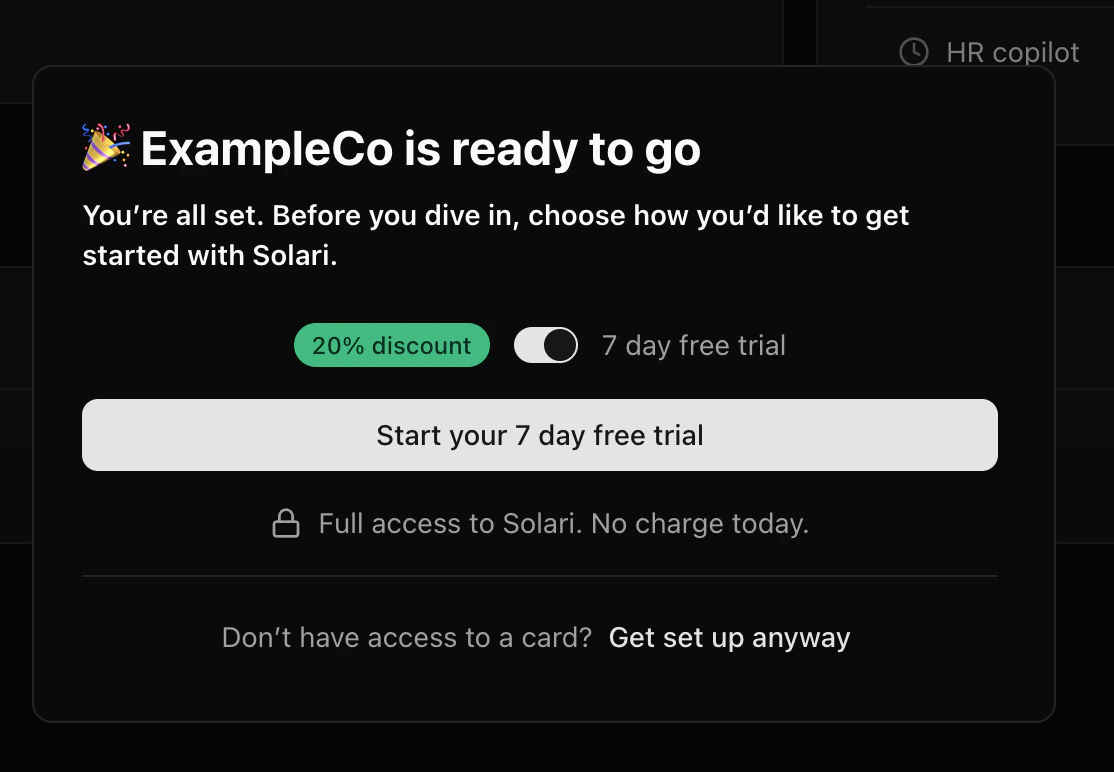 1. Select the 7-day free trial option.
2. Click `Start your 7-day free trial` to continue to our secure Stripe checkout.
3. Enter your payment details to activate your free trial. **You won’t be charged until the trial ends and your subscription begins.**\
\
You can always access your billing information in your [settings page](https://app.usesolari.ai/settings) throughout your free trial. You'll still have access to Solari during your free trial after cancelling. \
\
4\. Once your payment method is securely validated, we’ll automatically grant access to Solari. **You may see a brief loading indicator while we complete this step.**
Your billing information will always be available in your [settings](https://app.usesolari.ai/settings). \
\
You can always cancel your subscription via `Manage Billing` . By cancelling your subscription before your free trial ends, you will have access to Solari until your free trial expires.
Skip the trial and save 20% on your monthly subscription.
1. Select the 7-day free trial option.
2. Click `Start your 7-day free trial` to continue to our secure Stripe checkout.
3. Enter your payment details to activate your free trial. **You won’t be charged until the trial ends and your subscription begins.**\
\
You can always access your billing information in your [settings page](https://app.usesolari.ai/settings) throughout your free trial. You'll still have access to Solari during your free trial after cancelling. \
\
4\. Once your payment method is securely validated, we’ll automatically grant access to Solari. **You may see a brief loading indicator while we complete this step.**
Your billing information will always be available in your [settings](https://app.usesolari.ai/settings). \
\
You can always cancel your subscription via `Manage Billing` . By cancelling your subscription before your free trial ends, you will have access to Solari until your free trial expires.
Skip the trial and save 20% on your monthly subscription.
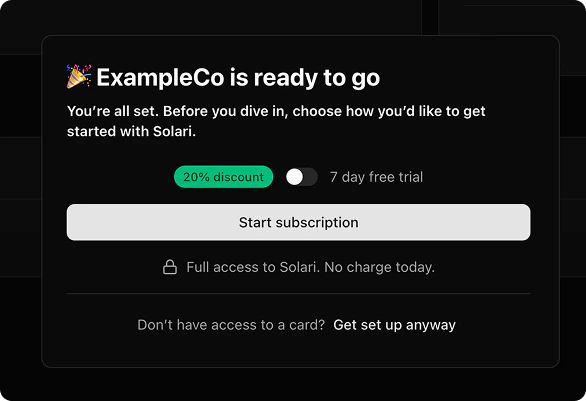 1. Select the 20% discount option to start a subscription right away.
2. Click `Start subscription` to continue to our secure Stripe checkout.
3. Securely enter your payment details to activate your subscription via Stripe. **The 20% discount will be applied automatically.**
4. Once your payment method is securely validated, we’ll automatically grant access to Solari. **You may see a brief loading indicator while this completes.**
5. You can review or update your billing details at any time from the **Billing** section in your [settings](https://app.usesolari.ai/settings).
The primary way to access Solari is by starting a free trial or subscription.
If you’re unable to start a free trial right away, you can **schedule time with our team** to get set up. Once your appointment is confirmed, we’ll grant you access to Solari for a **7-day free trial**.\
\
To continue using Solari beyond the trial, onboarding is completed during your scheduled meeting with our team to ensure everything is set up correctly.
1. Select the 20% discount option to start a subscription right away.
2. Click `Start subscription` to continue to our secure Stripe checkout.
3. Securely enter your payment details to activate your subscription via Stripe. **The 20% discount will be applied automatically.**
4. Once your payment method is securely validated, we’ll automatically grant access to Solari. **You may see a brief loading indicator while this completes.**
5. You can review or update your billing details at any time from the **Billing** section in your [settings](https://app.usesolari.ai/settings).
The primary way to access Solari is by starting a free trial or subscription.
If you’re unable to start a free trial right away, you can **schedule time with our team** to get set up. Once your appointment is confirmed, we’ll grant you access to Solari for a **7-day free trial**.\
\
To continue using Solari beyond the trial, onboarding is completed during your scheduled meeting with our team to ensure everything is set up correctly.
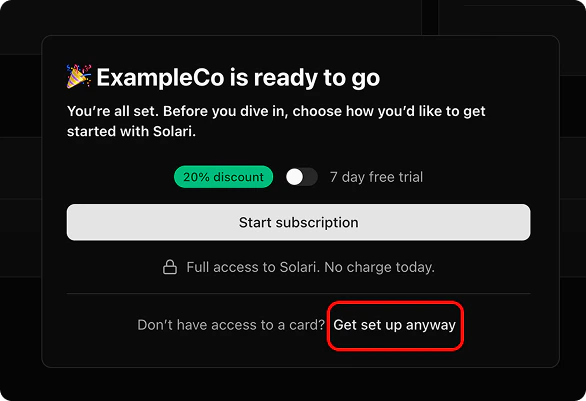 1. Click **“Get set up anyway”** to open our team’s calendar in a new tab.
2. Choose a time that works for you (ideally within the next 7 days). **We’ll complete your onboarding during this meeting.**
3. Once your appointment is confirmed, you’ll be granted access to Solari for a **7-day free trial**.
4. At any time, you can visit [**Settings**](https://app.usesolari.ai/settings)\*\* → Billing\*\* to start a self-serve free trial or subscription.
1. Click **“Get set up anyway”** to open our team’s calendar in a new tab.
2. Choose a time that works for you (ideally within the next 7 days). **We’ll complete your onboarding during this meeting.**
3. Once your appointment is confirmed, you’ll be granted access to Solari for a **7-day free trial**.
4. At any time, you can visit [**Settings**](https://app.usesolari.ai/settings)\*\* → Billing\*\* to start a self-serve free trial or subscription.